I’m having some problems in the installation. Here is the problem (try to solve, and explain me in the clearest way please):
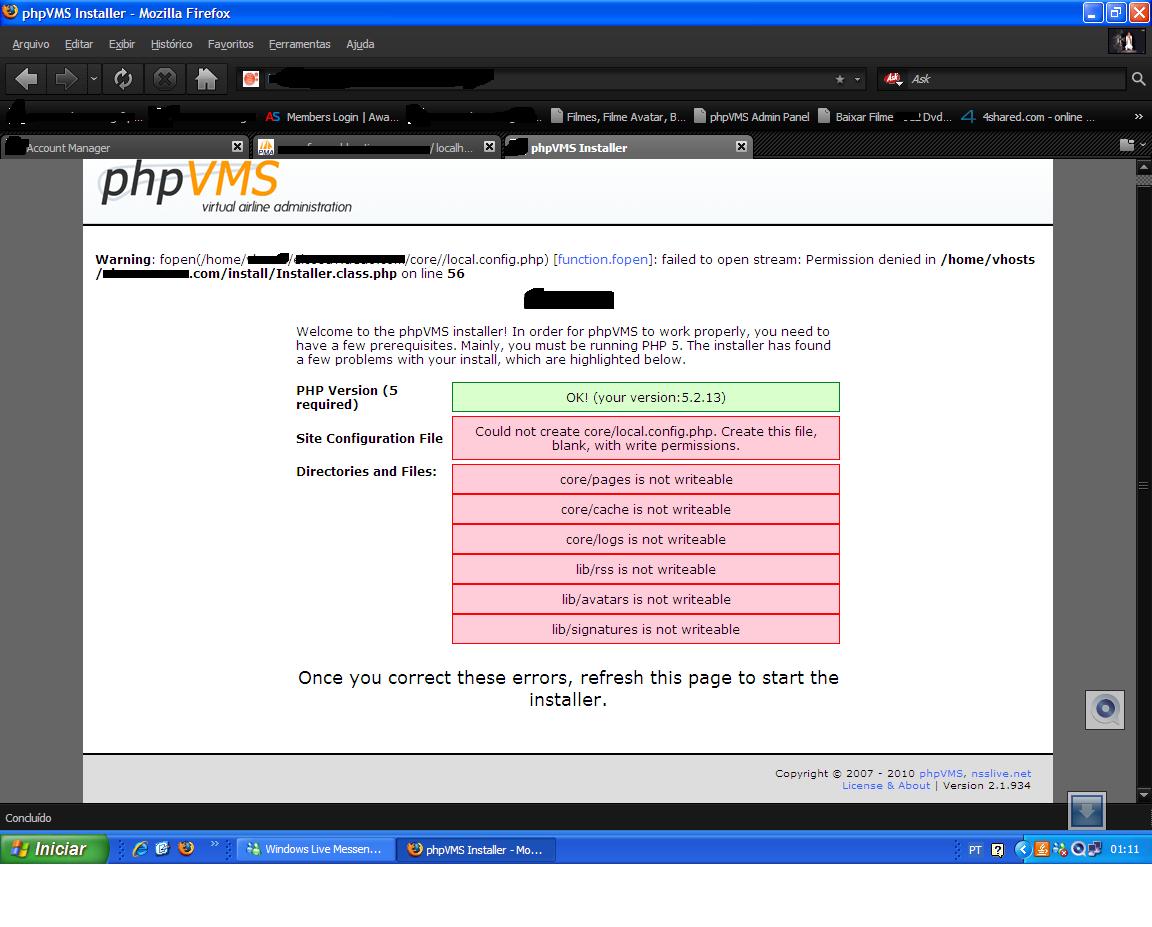
I’m having some problems in the installation. Here is the problem (try to solve, and explain me in the clearest way please):
Set that file, core/local.config.php set it to 777
Set that file, core/local.config.php set it to 777
how can I do this?
how can I do this?
In your FTP client, right click the file and select permissions, and change it to 777
In your FTP client, right click the file and select permissions, and change it to 777
where is this file? What 777 mean? Explain me in the easyest way please.
where is this file? What 777 mean? Explain me in the easyest way please.
What program do you use for FTP?
What program do you use for FTP?
Filezila
And, where is located: core/local.config.php ?
Filezila
And, where is located: core/local.config.php ?
Use Filezilla to FTP into your site. From there double-click on the “Core” folder. In that folder you will see a file called local.config.php. Right-click on that file and click “File Permissions”. From there you can change it to 777.
Use Filezilla to FTP into your site. From there double-click on the “Core” folder. In that folder you will see a file called local.config.php. Right-click on that file and click “File Permissions”. From there you can change it to 777.
there isn’t any local.config.php there… there are: app.config.php and codon.config.php and bootstrap.inc.php
just this files involving congig
there isn’t any local.config.php there… there are: app.config.php and codon.config.php and bootstrap.inc.php
just this files involving congig
Oh, you can then just create a new file called local.config.php and then use what I told you to set the permission.
Oh, you can then just create a new file called local.config.php and then use what I told you to set the permission.
Ok I did it and worked… What aboub the other problems?
Ok I did it and worked… What aboub the other problems?
You have to do the permissions on all those folders/files which are listed as well, so do the same Permissions 777 thing
You have to do the permissions on all those folders/files which are listed as well, so do the same Permissions 777 thing
Thank you, problem solved!