Good Evening. Would someone be able to explain to me how the events widget works and how I can create a page showing all the events upcoming. I have read and tried to understand the API key, and what goes where, but I just don’t understand it, so a quick guide on how to set up events using this module would be awesome. Thanks for your help!
Got this working. Had to edit line 16 of the events module to hard code a prefix, and it worked.
29 minutes ago, 4JSL said:
Got this working. Had to edit line 16 of the events module to hard code a prefix, and it worked.
Care to share exactly what you edited for other users that may want to do the same?
9 hours ago, 4JSL said:
Got this working. Had to edit line 16 of the events module to hard code a prefix, and it worked.
Technically there is/was no need to edit the widget itself, the event “route code” is defined at module admin area and it works both for API endpoint and Event Widget.
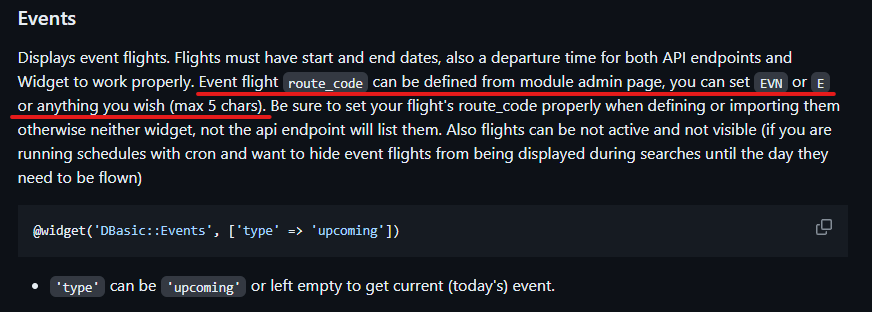

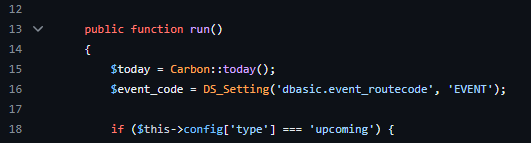
No need to edit/alter line 16 of the widget controller as it simply reads the above definition.
1 Like
32 minutes ago, DisposableHero said:
Technically there is/was no need to edit the widget itself, the event “route code” is defined at module admin area and it works both for API endpoint and Event Widget.
No need to edit/alter line 16 of the widget controller as it simply reads the above definition.
I tried to edit the prefix in the Module Admin and it gave me an error, stating that there was an issue in line 16. This made my dashboard display a server error. The log confirmed line 16 so I changed the variable to be hard coded instead of using from the module admin and that seemed to solve the issue
Well then there is something else is going wrong, I know it works as designed by defining your route code there
No worries. I will do some digging to see what I did wrong somewhere else. Thanks for your time. I really appreciate it.
1 Like