How to put a download to show on the download page.
In the admin panel, I don’t see any menu to put them
Go to your (sub)fleet page, there you can manage the downloads. Even at “Airports” and “Airlines”
1 Like
I have an error with the downloads.
In a subfleet I uploaded a file of an A320 texture.
I did the test and the download worked fine.
Then I deleted the texture of the subfleet and now when I click the Dowload menu on the main page, I get this error window
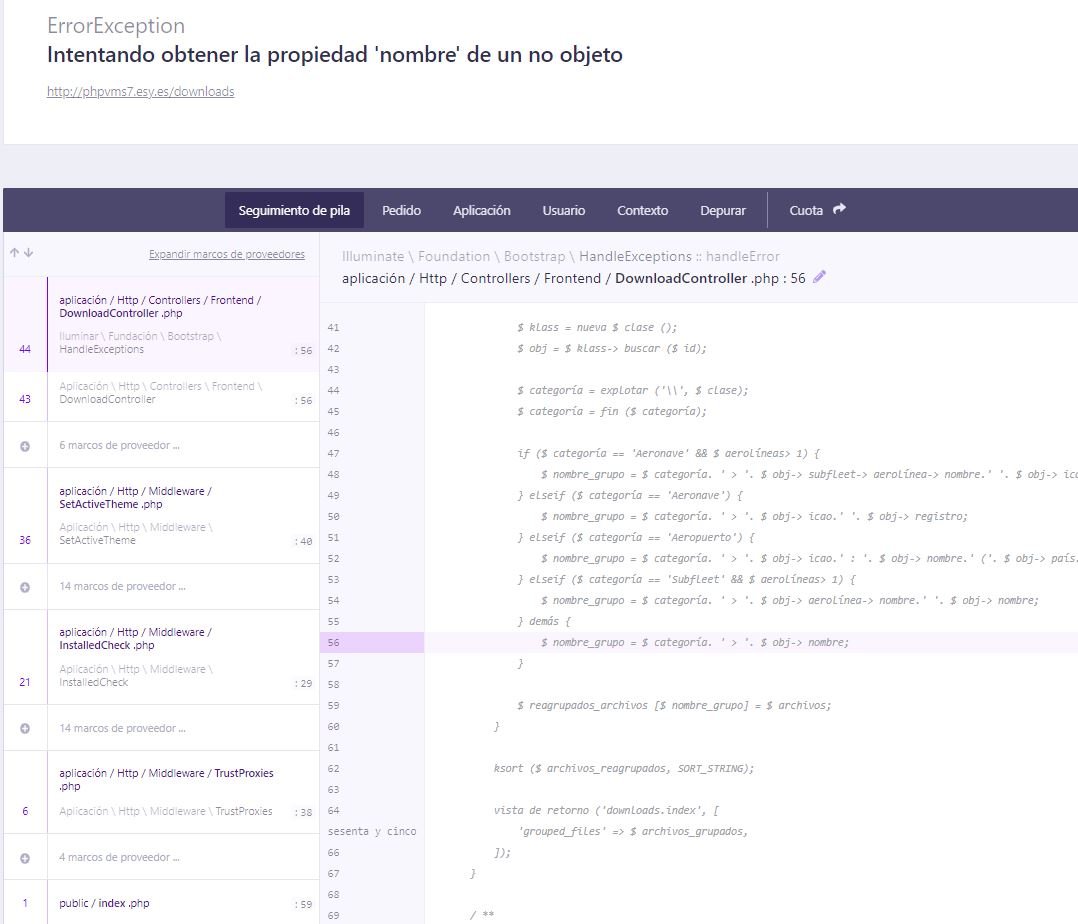
22 minutes ago, jftejeiro said:
I have an error with the downloads.
In a subfleet I uploaded a file of an A320 texture.
I did the test and the download worked fine.
Then I deleted the texture of the subfleet and now when I click the Dowload menu on the main page, I get this error window
Did you deleted the download via FTP or via the admin page of PHPVMS?
2 minutes ago, Sander283483 said:
¿Eliminó la descarga a través de FTP o de la página de administración de PHPVMS?
Through the page
22 minutes ago, jftejeiro said:
Through the page
Go to your database of PHPVMS via phpmyadmin. Delete all records inside the “files” table. After that check if the download page works again.
2 Likes