Hi,
I have an issue with the members trying to login in my VA web this msg appear after login :
You must be logged in to access this feature!
any suggestion ?!
P.I i have used two Versions of phpvms v2.1.934 and now i am using Version simpilot 5.5.2
The problem appears in both versions since i have transferred my Domain to a new Server …
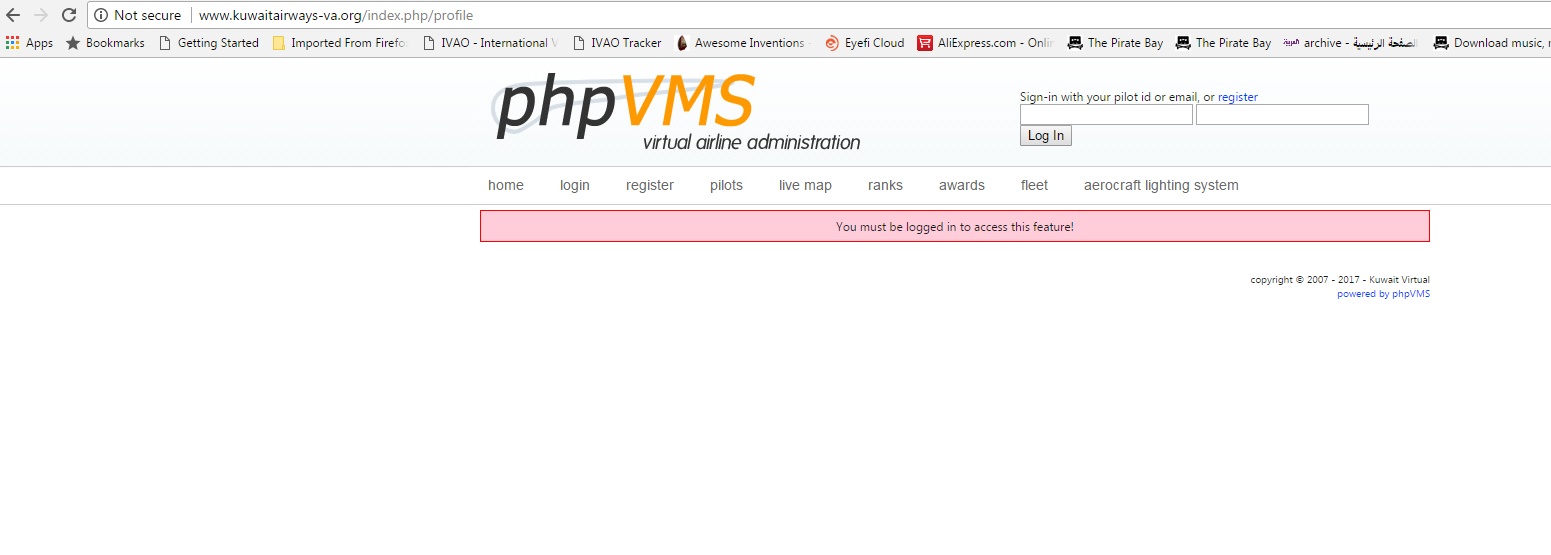
Does this happen on all pages ? in order to see your profile from what i see in the screenshot you provided you need to be logged in .
9 hours ago, Vangelis said:
Does this happen on all pages ? in order to see your profile from what i see in the screenshot you provided you need to be logged in .
Yes i can’t login this Msg come after i am tying to login … ?!
i would enable the logs by setting this in local.config.php
Config::Set('DEBUG\_MODE', true); Config::Set('DEBUG\_LEVEL', 2); // 1 logs query errors, 2 logs all queries Config::Set('ERROR\_LEVEL', E\_ALL ^ E\_NOTICE);
and then see in core/logs folder for errors
2 hours ago, Vangelis said:
i would enable the logs by setting this in local.config.php
Config::Set(‘DEBUG_MODE’, true); Config::Set(‘DEBUG_LEVEL’, 2); // 1 logs query errors, 2 logs all queries Config::Set(‘ERROR_LEVEL’, E_ALL ^ E_NOTICE);
and then see in core/logs folder for errors
This errors in logs ??? ===== Time: 04.30.17 21:36:54 Backtrace: DB::write\_debug \> DB::query \> Auth::update\_session \> Auth::ProcessLogin \> Login-\>ProcessLogin \> Login-\>login \> Login-\>index \> call\_user\_func\_array \> MainController::RunAllActions Query: UPDATE phpvms\_sessions SET `pilotid`=2007, `logintime`=NOW(), `ipaddress`='80.184.89.159' WHERE `id`= Error: (1064) - You have an error in your SQL syntax; check the manual that corresponds to your MySQL server version for the right syntax to use near '' at line 3
Yes can you attach the log abd the error file ?
Hi!
actually after transfering my phpvms to a new webserver i have the same issue. After trying to login I get the same message like above.
In my log.txt I can find following:
Quote
=====
Time: 04.13.20 18:45:24
Time: 04.13.20 18:45:24
Backtrace: DB::write_debug > DB::query > Auth::update_session > Auth::ProcessLogin > Login->ProcessLogin > Login->login > Login->index > call_user_func_array > MainController::RunAllActions
Query: UPDATE phpvms_sessions SET pilotid=5, logintime=NOW(), ipaddress=‘217.230.xx.xxx’ WHERE id=
Error: (1064) - You have an error in your SQL syntax; check the manual that corresponds to your MySQL server version for the right syntax to use near ‘’ at line 3
=====
The error.txt and all other logfiles remained empty.
A bit strange is, that in the update-statement after “where ID=” is nothing.
I already cleaned up the phpvms_sessions table. But it didnt helped.
What can I do?
What MySQL version did the old host use?
What MySQL version does the new host use?
Is this happening right after you enter the emai/pilotID, password and then click Log In?
What version of phpVMS?
Post the contents of your /core/modules/Login/Login.php file
The old mySQL-Server has version: 5.6.44
the new Server has version: 5.7.21-1
Quote
Is this happening right after you enter the emai/pilotID, password and then click Log In?
Yes exactly right after click on “login”.
When I enter a wrong password for example, then correctly appears the message, that the pw is wrong.
Only when I enter the correct pw, appears this message.
The version of phpVMS is a bit older. I don’t know, where I can find the version number.
The update to a newer version is a bit complicate, because we did a lot of constumizations, which get lost on an update.
the login.php is attached.
[Login.zip](< base_url >/applications/core/interface/file/attachment.php?id=4368)
To find the version number, look in admin panel on lower right.
Have you looked in the error_log file in the main phpvms directory and in /admin directory for errors?
You can update to a newer version, but will need to tweak many of your modules and other customizations.
the version is “Version simpilot 5.5.2”.
as a quickfix without updating everything, do you have any idea, how to fix this problem?
There must be a reason, why de login does not work.
If you want send me a pm with
Website Address
A test username and password
Ftp Credentials in order to check the php files
and i can have alook at it
Hey Vangelis,
after some very long try and error I finally solved the problem.
If you like to know my solution to that problem:
There was something wrong with the clone of my database.
that’s the original phpvms_sessions Table:
Quote
CREATE TABLE phpvms_sessions (
id int(11) NOT NULL AUTO_INCREMENT,
pilotid int(11) NOT NULL,
ipaddress varchar(25) NOT NULL,
logintime datetime NOT NULL,
PRIMARY KEY (id),
UNIQUE KEY sessions01 (pilotid,logintime,id)
) ENGINE=MyISAM AUTO_INCREMENT=24042318 DEFAULT CHARSET=latin1;
But in my clone on the new server the primary_key, the unique keys and even the AUTO_INCREMENT was missing for any reason.
After dropping the table and create again in the right way, my login works now!
And I have now to check all the other tables too, if there’s anything missing.