Navdata Update

Cleaned up the code in fsbuildparse.php so it works better

This is an updated version of Nabeel’s code for navdata update which is avaliable by search in forums

-All intersections uploaded with a lat/lng

-All VOR / NDB correctly labeled

-Intersections all go in instead of hanging up

Works with fsbuild airac

Used 1310 myself

Loading airways segments…91220 airway segments loaded…

Loading VORs…965 VORs added, 2834 updated

Loading NDBs…2202 NDBs added, 1800 updated

Loading INTs…93944 INTs added, 54743 bypassed already in DB

Completed!

-Would recommend backing up navdata table in database before running

-Program deletes all previous data in phpvms_navdata table before updating

-Also program will not work if the table phpvms_navdata is not present. If it isnt go to DBadmin and copy structure only from navdata table to phpvms_navdata

-Inserts into phpvms_navdata table. If prefix is different rename phpvms_navdata to navdata for example when complete

-Use at your own risk. Works great with me but can’t say it will with everyone.

How to load NAVDATA for phpVMS


  1. Unzip navdata.zip

  2. Obtain fsbuild airac

  3. Install fsbuild airac into same folder as fsbuild.exe(airac file)

  4. need to have three files

awys.txt -airways (default fsbuild)

ints.txt - intersections (default fsbuild)

navs.txt - ndb/vor (default fsbuild - code fixed to label vor/ndb separately)

  1. Take the 3 files listed above insert them into navdata/fsbuild folder

Optional - Recommend sorting out lat/lng intersections in ints.txt and any intersection that is not 5 characters in length

  1. Open db.php file and insert your DB username, password, & server name into the appropraiate places between ‘’

  2. Upload navdata folder into root directory of site

  3. Connect to server with ssh app. I use putty

  4. cd to navdata

  5. run php -f fsbuildparse.php at prompt

  6. Takes maybe 5 mins or so then should get

Loading airways segments…91220 airway segments loaded…

Loading VORs…965 VORs added, 2834 updated

Loading NDBs…2202 NDBs added, 1800 updated

Loading INTs…93944 INTs added, 54743 bypassed already in DB

Completed!

[navdata.zip](< base_url >/applications/core/interface/file/attachment.php?id=1249)
After i will try it. thanks by the aportation

Is there another way without putty? i dont know how work that program

Sorry only have used putty.

Could set it up to run in admin or load page from browser but it wipes out the table navdata everytime you run it

Problem is you want to run once then delete the files and folders

Putty pretty easy to use for me

Select ssh put in web address then click connect

At prompt type in login and password

Then >cd public_html/navdata

Then >php -f fsbuildparse.php

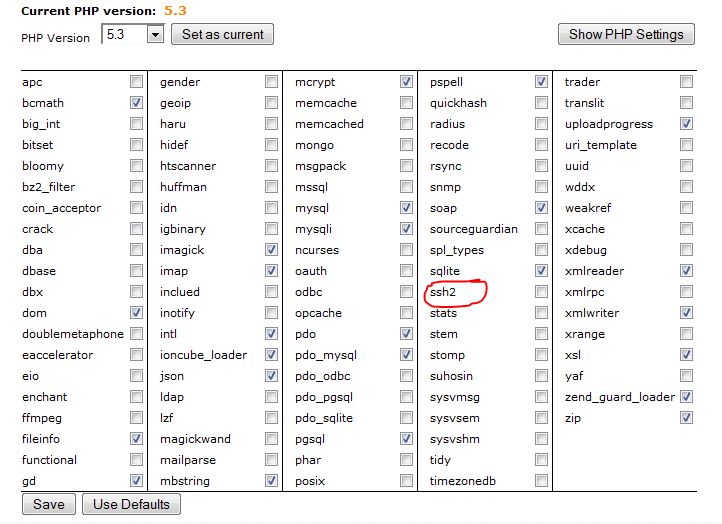
Contact your Hosting company, they might have to enable SSH for putty to work

<?php

error_reporting(E_ALL & ~E_NOTICE);

$db = mysql_connect(‘localhost’, ‘db username goes here’, ‘db password goes here’);

mysql_select_db(’ db server name goes here’);

define(‘NAV_NDB’, 2);

define(‘NAV_VOR’, 3);

define(‘NAV_DME’, 4);

define(‘NAV_FIX’, 5);

Only db server name? not db name?

Not work to me, in putty I enter the webpage of VA or name server… but i get error network no work time out.

I find this option:

post-5667-0-16501200-1386416559.jpg

This process is not the easiest but I have listed all the steps.

Try customer service at your Hosting company for SSH problems

open local.config.php in core folder, then copy the DB info name, password, server name into db.php

$db = mysql_connect(‘localhost’, ‘joetest’, ‘password’)

mysql_select_db(‘aerodb’);

Mine is localhost and is for most people but change it if different in local.config.php

Loading airways segments…============ MySQL server has gone away ==========

Hello!

I have the same problem:

Loading airways segments…============ MySQL server has gone away ==========

look to you php. ini this value

upload_max_filesize = 64M
post_max_size = 64M
max_execution_time = 600
1 Like

I am getting a max_allowed_packet error. Anyway of fixing that?

I am getting a max_allowed_packet error. Anyway of fixing that?

just put this in my.ini

max_allowed_packet = 16M

or

shell> mysqld --max_allowed_packet=16M

http://dev.mysql.com/doc/refman/5.5/en/packet-too-large.html

Regards Fred

I tried looking for my.ini but cant find it. Can I use the second one with putty?

IT has been done. Updated my navdata table to 1313

Is someone willing to export the phpvms_navdata they have in their DB so not all of us have to go through the process/

3 Likes

Is someone willing to export the phpvms_navdata they have in their DB so not all of us have to go through the process/

Good post!!

Good post!!

+1

Everyone have a great and healthy 2014

Regards,

Cor

IT has been done. Updated my navdata table to 1313

can you please share your 1313 navdata?

I can share the table, but the airac cycle from navigraph no.

Table:)

I can share the table, but the airac cycle from navigraph no.

Could you please?

Can anyone verify all is OK with it too?