I got this one month ago and i’m not able to solve it. i checked in the forum, on the website, but nothing.
i had reinstalled MSFS2020, ACARS but nothing.
please help.
thank you.
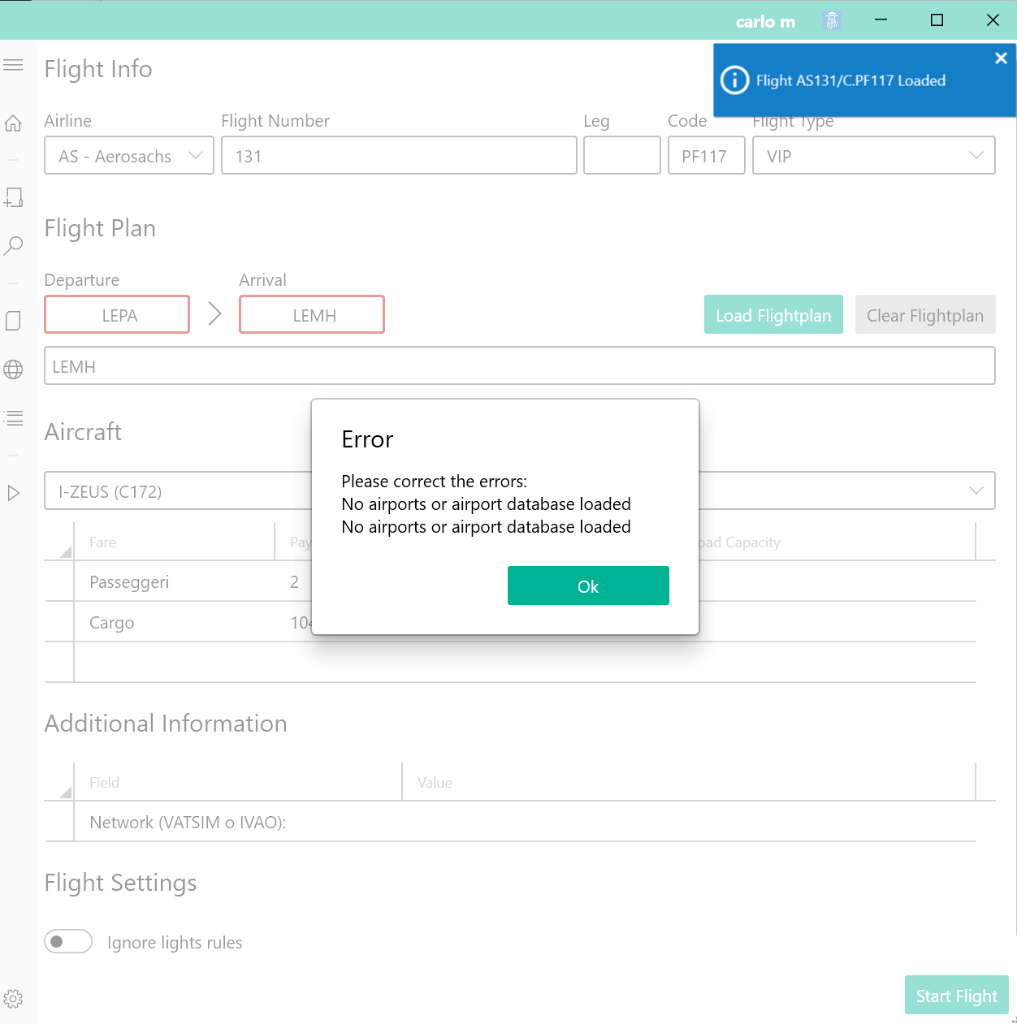
I got this one month ago and i’m not able to solve it. i checked in the forum, on the website, but nothing.
i had reinstalled MSFS2020, ACARS but nothing.
please help.
thank you.
Look in the “Announcements” channel in Discord.
MSFS broke something again and the scenery scan isn’t working as intended.
There is a work-around posted in that channel.
It may not be related to the latest MSFS changes though.
Screenshot says that the initial scan is not completed at all, after that step (it scans and finds some airports, like 4-5 and database gets generated) it gives a different error (like ICAO ‘…’ NOT FOUND)
The same issue i am facing from last 2 days, I am new to this, after doing 6- 7 flight i have submitted flight report on Acars, next day when i start Acars it showing no airport database loaded, so on Acars setting option when i tried to Sync Scenery its showing permission issue, i check all the installation, all are in admintrative mode, can anyone know about the issue.
12 hours ago, Sujay said:
The same issue i am facing from last 2 days, I am new to this, after doing 6- 7 flight i have submitted flight report on Acars, next day when i start Acars it showing no airport database loaded, so on Acars setting option when i tried to Sync Scenery its showing permission issue, i check all the installation, all are in admintrative mode, can anyone know about the issue.
Would you mind checking the docs please, “permission issue” is mentioned there with a well explained solution.
https://docs.phpvms.net/acars/user-guide#permission-denied-errors
Hi,
I have encountered this issue today trying to setup the ACARS for a new VA. I have followed the advice from the above links. I have ensured I have downloaded and copied the FSUIPC files. I have ensured permissions have been applied. I am using MSFS2020. In settings my profile is correct. I have run Re-sync Scenery numerous times. When I launch ACARS, on the Flight Info page, the DEP ARR sections immediately turn yellow similar to the above picture when I input any airport code. I had the ACARS with P3D without any issues. My jump to MSFS2020 has proved not so successful. I would appreciate some help as I have been invited to join this VA.
Regards,
Keith
Sharing acars log after doing a scan may help to get help back. Without it only God can help you.
Thanks. Where do a send a zip of the Log as cannot attach here. I am off to Antalya in four weeks, I must just simply drop it off!!
Keith
Anywhere you wish, just find a place to upload (or copy the contents of the scan here as text or in a code box) If you can find me at Antalya, why not, I can take them with a mobile device too, if you wish to wait that long of course. When you provide the scan log, people can try helping you, that’s it
Have a nice day/night
I have resolved this issue with the help Disposable Hero and colleagues in the Discord Channel. It resolution is stated in the fix links, be sure to check carefully. In the permissions link above, Ian from Navigraph refers to the Usercfg.opt and to ensure the last entry in the file shows the path to you Community Folder. I had checked this, but not closely enough as it was pointing to the Localcache not to the Community Folder. Once changed, everything worked! If this issue suddenly occurs to you, I strongly recommend this is your first port of call to resolve.
Regards,
Keith